search
0

How to Get Data Out of Data Vault

Watch the Webinar

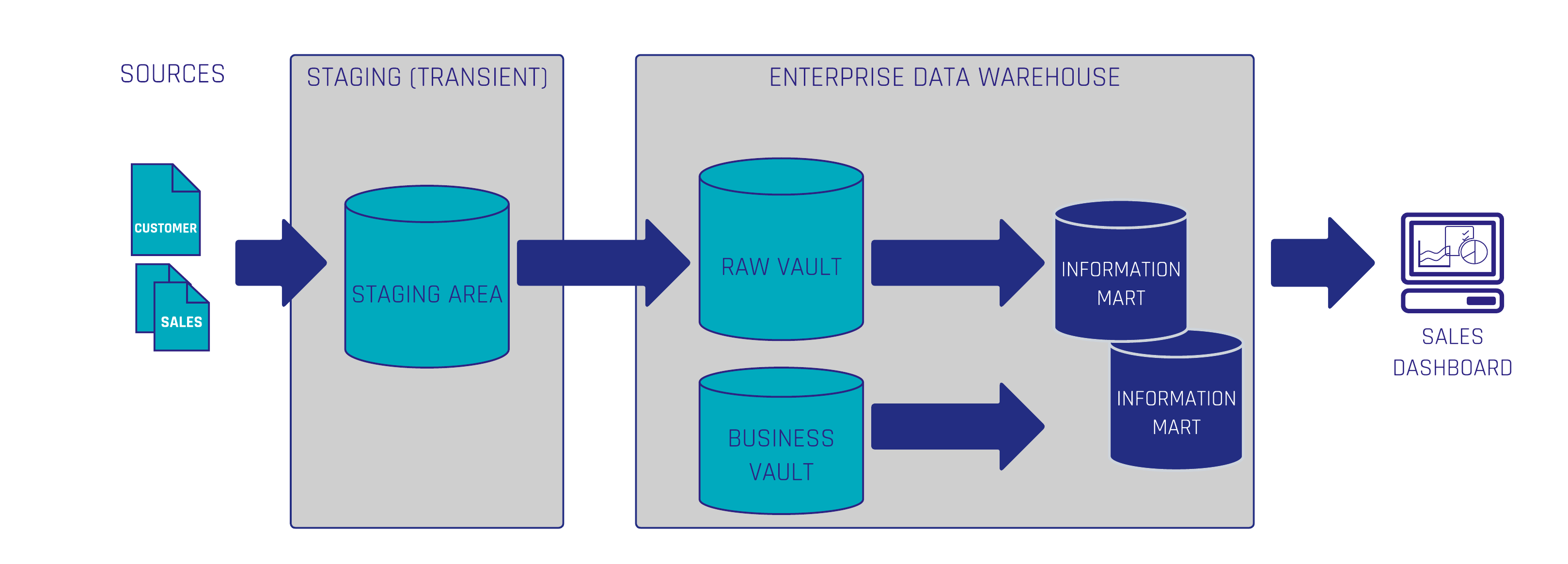
Data Vault is a very flexible model when it’s about creating a scalable data warehouse design. This is due to splitting the data into 3 basic entities: keys, relationships, and descriptive data. But, the result is also a bigger model with more entities than in a 3rd normal form (3NF) or star schema model. A common complaint is that it is difficult and inefficient to query the data from the Data Vault.
In this Webinar we will show you the opposite and what’s needed to accomplish this.

Watch Webinar Recording

Webinar Agenda

1. Data → Information → Business Value
2. Requirement gathering
3. PITs and bridges
4. Information marts

Meet the Speaker

Marc Winkelmann

Marc Finger

Marc is working in Business Intelligence and Enterprise Data Warehousing (EDW) with a focus on Data Vault 2.0 implementation and coaching. Since 2016 he is active in consulting and implementation of Data Vault 2.0 solutions with industry leaders in manufacturing, energy supply and facility management sector. In 2020 he became a Data Vault 2.0 Instructor for Scalefree.

Realtime Delta Application in Data Vault

Watch the Video

In our ongoing Data Vault Friday series, our CEO Michael Olschimke tackles a compelling question from our audience.

“From one of our source systems, we receive customer information in real-time messages. These messages are set up in a way that they always contain the business key(s) to identify the customer and the attribute(s) that have been entered, changed, or set to null.

For example, the first message includes customer creation with various attributes, including an email address and, of course, a Business Key. A second message later might include the Business Key, a new email address, and a new attribute (e.g., birthplace) that did not exist in the previous one.

We have a list of attributes that the end user is interested in, in our Information Mart, specifically in the Customer dimension. How would you manage this in the Data Vault architecture?”

In this enlightening video, Michael begins by discussing the design often encountered in such scenarios, highlighting areas for potential improvement. He then shares his insights on how to efficiently manage the message stream within the Data Vault 2.0 model. The discussion touches on optimizing the design for better usability in the Information Mart while maintaining the integrity and efficiency of the Data Vault architecture.

Top 10 Salesforce Features – 2022 (German)

Watch the Webinar

In diesem Webinar schauen wir uns unsere Top 10 besten Salesforce Features in 2022 an. Egal ob Neuheiten oder Änderungen aus den großen 3 Updates dieses Jahres. Wie kann man diese Features nutzen und was ist das besonders Interessante daran?

Lernen Sie mit uns die neuen Features aus dem Jahr 2022 kennen.

Watch Webinar Recording

Webinar Agenda

1. Übersicht Salesforce Jahr
2. Top 10 Features
3. Fazit 2022

Same-as-links Business Rules in Data Vault

Watch the Video

In our ongoing Data Vault Friday series, our CEO Michael Olschimke engages with a thought-provoking question from our audience regarding Same-as-Links.

“Sometimes mapping logic for Same-As-Links (SAL) requires complex ‘fuzzy’ business logic. When does the logic become too complex for the Raw Data Vault, and instead, the joining of similar tables from different sources becomes a Business Vault concern? It’s important to not have convoluted transformations in the Raw Data Vault, so where do we ‘draw the line’ on transformations being too convoluted/complex for a Raw Data Vault entity?”

In this enlightening video, Michael addresses the delicate balance between the Raw Data Vault, where no business logic is applied, and the Business Vault, where most business logic is implemented. He provides insights into recognizing when the mapping logic for Same-As-Links (SAL) becomes too intricate for the Raw Data Vault, prompting the shift to the Business Vault for handling complex transformations.

The discussion offers practical considerations and a clear perspective on drawing the line to maintain the efficiency and clarity of transformations within the Raw Data Vault.

Meet the Speaker

MICHAEL OLSCHIMKE

Michael Olschimke

Michael has more than 15 years of experience in Information Technology. During the last eight years he has specialized in Business Intelligence topics such as OLAP, Dimensional Modelling, and Data Mining. Challenge him with your questions!

Pivotizing Fact Measures in Data Vault

Watch the Video

In our continuous Data Vault Friday series, our CEO Michael Olschimke engages with a pertinent question from our audience.

“There are 6 measure values (float/decimal values) in the fact entity. In each row, typically 3 of them are NULL. Would it make sense to unpivot the data and encode this in a dimension for measure type? We also have measure values which are based on integers. Does it make sense to separate them into their own fact entity?”

In this insightful video, Michael delves into the considerations surrounding the structure of fact entities when dealing with multiple-measure values. The specific scenario of having null values for some measures prompts a discussion on whether it is beneficial to unpivot the data and encode it in a dimension for measure type. Additionally, Michael explores the case of measuring values based on integers and evaluates whether separating them into their own fact entity is a sound approach.

The video offers practical guidance and best practices for optimizing the design of fact entities in Data Vault models, ensuring efficiency and clarity in data representation.

Meet the Speaker

Profile picture of Michael Olschimke

Michael Olschimke

Michael has more than 15 years of experience in Information Technology. During the last eight years he has specialized in Business Intelligence topics such as OLAP, Dimensional Modelling, and Data Mining. Challenge him with your questions!

Redundancy in Dimensional Models in Data Vault

Watch the Video

In our ongoing Data Vault Friday series, our CEO Michael Olschimke addresses a thought-provoking question from our audience.

“A company might have many assets. The asset dimension contains many descriptive fields describing the company, leading to redundancy. When does it make sense to separate the attributes into their own dimension? If a dimension attribute is often used in filtering, does it make sense to separate this into its own dimension?”

In this enlightening video, Michael delves into the considerations and decision-making process surrounding the design of dimensional models derived from a Data Vault model. Specifically, he explores the scenario where the asset dimension contains numerous descriptive fields, potentially leading to redundancy. Michael provides insights into when it makes sense to separate these attributes into their own dimension and discusses the factors influencing this decision.

Furthermore, the discussion extends to instances where a dimension attribute is frequently used in filtering and whether it warrants a separate dimension. Michael’s explanation offers practical guidance and considerations for optimizing the target models while managing redundancies effectively.

For those involved in data modeling and dimensional design within the Data Vault framework, this video provides valuable insights and strategic considerations.

Meet the Speaker

Profile picture of Michael Olschimke

Michael Olschimke

Michael has more than 15 years of experience in Information Technology. During the last eight years he has specialized in Business Intelligence topics such as OLAP, Dimensional Modelling, and Data Mining. Challenge him with your questions!

Hash Keys vs Sequence Keys vs Business Keys in Data Vault

Watch the Video

In our continuous Data Vault Friday series, our CEO Michael Olschimke engages with a pertinent question posed by our audience.

“How do the loading cycles benefit from joining on a hash key or a Business Key, as opposed to a surrogate value?”

In this insightful video, Michael delves into the critical aspect of designing the Enterprise Data Warehouse (EDW) by examining three choices for identifying records in the Data Vault model. The specific focus is on the advantages and implications of joining on a hash key or a Business Key, contrasting these approaches with the use of a surrogate value.

Michael’s comprehensive exploration provides clarity on the impact these choices have on loading cycles within the EDW. By understanding the nuances of each option, viewers gain valuable insights into optimizing loading processes and achieving efficient data integration.

For those involved in the design and management of Data Vault models, this video offers practical considerations and strategic insights.

Meet the Speaker

Profile picture of Michael Olschimke

Michael Olschimke

Michael has more than 15 years of experience in Information Technology. During the last eight years he has specialized in Business Intelligence topics such as OLAP, Dimensional Modelling, and Data Mining. Challenge him with your questions!

Snowflake to Salesforce via Tableau Analytics

Watch the Webinar

Fragen Sie sich wie Sie Salesforce Standard Tools nutzen können, um Ihr Snowflake Data Warehouse mit Salesforce zu verbinden und großartige Dashboards mit der Power von Tableau zu erstellen?
Direkt in Salesforce!
Lernen Sie von unserem Experten.

Watch Webinar Recording

Webinar Agenda

1. Use Case Einführung
2. Integrationsvarianten
3. Integrierte Berichte
4. CRM Analytics mit Snowflake
5. Kernaspekte zusammengefasst

Meet the Speaker

Picture of Markus Lewandowski

Markus Lewandowski

Markus Lewandowski hat mehr als 6 Jahre Salesforce Erfahrung und ist ein zertifizierter Salesforce Berater bei Scalefree. Er hilft Kunden in ganz Europa, Salesforce Umgebungen zu implementieren, zu verbessern und in ihren Tech-Stack zu integrieren.

Ghost Record Loading in Data Vault

Watch the Video

In our ongoing Data Vault Friday series, our consultant Julian Brunner delves into an intriguing question posed by the audience.

“What is the best approach to load ghost records? How does a ghost record look like?”

In this enlightening video, Julian explores the nuanced topic of loading ghost records into satellite tables. Ghost records, often a critical element in data modeling, are records that represent the absence of data rather than a physical presence. Julian provides insights into the best approaches for incorporating these ghost records, shedding light on their significance and how they can be effectively structured within satellite tables.

The discussion delves into the visual representation of ghost records, offering clarity on how they differ from regular data entries and emphasizing their role in maintaining accurate historical data in the context of Data Vault methodologies.

For those seeking a deeper understanding of handling ghost records within satellite tables, this video by Julian offers practical advice and valuable insights.

Coalesce and Data Vault 2.0 – A Perfect Match?

Watch the Webinar

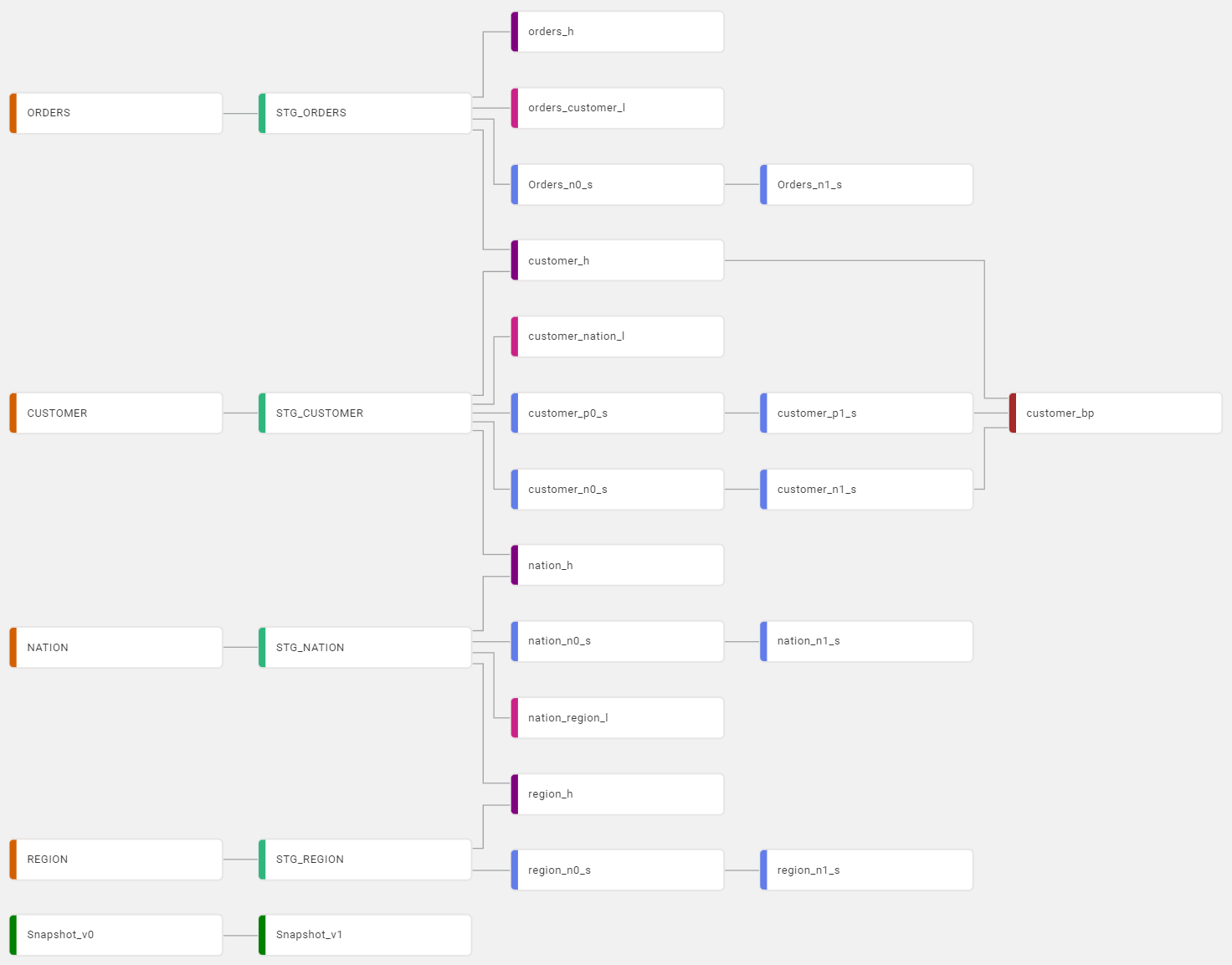
This webinar introduces the data warehousing automation tool coalesce.io and how it can be used to create a Data Vault 2.0-powered data warehouse solution. You will see live demonstrations of the tool and the data vault entities.

Learn why Data Vault 2.0 is the perfect choice for date warehouse automation tools like Coalesce and how Coalesce can kickstart your Data Vault 2.0 solution!

Watch Webinar Recording

Webinar Agenda

1. Introduction to Coalesce
2. Demo Session
3. Introduction to Data Vault 2.0
4. Why Coalesce and Data Vault?
5. Demo Session

Meet the Speakers

Picture of Ole Bause

Ole Bause

Ole Bause is working in the Business Intelligence area at Scalefree since the beginning fo 2021. He has very good knowledge in the areas of Data Vault 2.0 implementation, data engineering, Python development, and data warehouse automation with dbt.

Profile picture of Tim Kirschke

Tim Kirschke

Tim has a Bachelor’s degree in Applied Mathematics and has been working as a BI consultant for Scalefree since the beginning of 2021. He’s an expert in the design and implementation of BI solutions, with focus on the Data Vault 2.0 methodology. His main areas of expertise are dbt, Coalesce, and BigQuery.

Kick-Start Your Data Vault 2.0 Implementation with Datavault4DBT

DataVault4dbt Powered by Scalefree

Datavault4dbt

Scalefree has released datavault4dbt. An open source package, that provides best-practice loading templates for Data Vault 2.0 entities, embedded into the open source data warehouse automation tool dbt.

Datavault4dbt currently supports Snowflake, BigQuery and Exasol and comes with a lot of great features:

  • A Data Vault 2.0 implementation congruent to the original Data Vault 2.0 definition by Dan Linstedt
  • Ready for both Persistent Staging Areas and Transient Staging Areas, due to the allowance of multiple deltas in all macros, without loosing any intermediate changes
  • Creating a centralized, snapshot-based Business interface by using a centralized snapshot table supporting logarithmic logic
  • Optimizing incremental loads by implementing a high-water-mark that also works for entities that are loaded from multiple sources
dbt, Scalefree's partner

Kickstart your Data Vault 2.0 Implementation – with datavault4dbt

This webinar delves datavault4dbt, an open-source package by Scalefree that simplifies Data Vault 2.0 implementation in dbt. It provides best-practice templates for hubs, links, and satellites, ensures compliance with Data Vault standards, and supports flexible staging with optimized incremental loads, you won’t want to miss this webinar.

Watch webinar recording

Building a Data Vault 2.0 Solution – made easy

The overall goal of releasing Data Vault 2.0 templates for dbt is to combine our years of experience in creating and loading Data Vault 2.0 solutions into publicly available loading patterns and best practices for everyone to use. Out of this ambition, datavault4dbt, an open source package for dbt was created and will be maintained by the Scalefree expert team. 

The most valuable characteristic of datavault4dbt is that it carnates the original Data Vault 2.0 definition by Dan Linstedt. It represents a fully auditable solution for your Data Vault 2.0 powered Data Warehouse. With a straight-forward, standardized approach, it enables the team to conduct agile development cycles.

By allowing multiple increments per batch while loading each Data Vault entity type, datavault4dbt supports both Persistent and Transient Staging Areas without losing any intermediate changes. These incremental loads are even optimized by implementing a dynamic high-water-mark that even works when loading an entity from multiple sources.

Additionally, datavault4dbt encourages strict naming conventions and standards by implementing a variety of global variables that span across all Data Vault layers and supported Databases. The process of end-dating data is completely virtualized to ensure a modern insert-only approach that avoids updating data.

With all these features, datavault4dbt is the perfect solution for your modern Big Data Enterprise Data Warehouse.

From the Stage over the Spine into the PITs

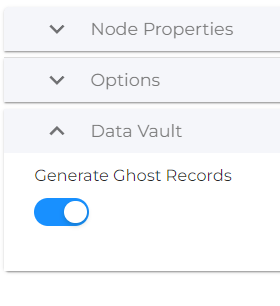
To achieve all this, we worked hard on creating a solid and universal staging area. All hashkeys and hashdiffs are calculated here and users are given the option to add derived columns, generate prejoins with other stages and add ghost records to their data. All of this highly automated based on parameterized user input. 

Based on staging areas, the Data Vault 2.0 spine can be created. Hubs, Links and Non-Historized Links can be loaded from multiple sources including mapping options to ensure business harmonization. 

This spine is then enriched by Standard Satellites, Non-Historized Satellites, Multi-Active Satellites and/or Record-Tracking Satellites. All of those that require it come with a version 0 for tables and a version 1 for end-dated views. 

Based on the Raw Data Vault, PITs can be created automatically, and their loading is backed by an automated, highly-configurable but optional logarithmic snapshot logic. This logic is included in the Control Snapshot Table, which also comes in two consecutive versions. To wrap the logarithmic snapshot logic up, a post-hook for cleaning up all PITs is included and comes in handy.

DataVault4dbt Powered by Scalefree

Start now and boost your Data Vault experience!

The lines above made you think “Nah, that’s all too good to be true!”? Convince yourself, or give us your highly appreciated feedback by visiting datavault4dbt on Github!

Of course, our future ambitions for datavault4dbt are high and next on our list are a lot of important topics, like:

  • Provide a detailed working example of datavault4dbt
  • Extend and migrate the existing documentation of the package
  • Support more and more databases
  • Add more advanced and specific Data Vault 2.0 entities
  • Develop automated Data Vault related tests
  • Review and implement user feedback and suggestions

Stay tuned for more datavault4dbt content on all our marketing channels!

– Tim Kirschke (Scalefree)

Close Menu