search
0

(Logical) Information Marts in Data Vault

Watch the Video

In our continuous Data Vault Friday series, our CEO Michael Olschimke addresses a question from our audience that delves into the intricacies of the CDVP2 training.

“We are having trouble understanding the attached slide 28 of the CDVP2 training.

– What is the difference between Business DV Pits & Bridges and Pits & Bridges?
– We are confused about why Business Vault and Info Mart are put into one logical wrapper. Why does physical and logical wrapper differentiate?”

In this elucidating video, Michael provides clarification on the distinctions between “raw” and “business” Point-in-Time (PIT) and bridge tables. The question prompts a discussion on understanding the nuances of these components within the Data Vault methodology.

Michael shares insights into the reasoning behind grouping Business Vault and Info Mart into one logical wrapper while emphasizing the differentiation between physical and logical wrappers. The discussion provides valuable context for participants seeking clarity on the CDVP2 training material.

Meet the Speaker

Profile picture of Michael Olschimke

Michael Olschimke

Michael has more than 15 years of experience in Information Technology. During the last eight years he has specialized in Business Intelligence topics such as OLAP, Dimensional Modelling, and Data Mining. Challenge him with your questions!

Why Data Vault 2.0 Is the Best Data Model for Automation

Watch the Webinar

Many data teams worry that automation won’t work on their specific data and technology stack. They’ve learned the hard way that automation doesn’t always stand up to the complexity of different source data models, taxonomies, and tech stack components.
Join this webinar to understand how Data Vault 2.0 is designed to focus on models and logic, not complex code so that it’s rapidly becoming the DWH standard.

We’ll explain how Data Vault has taken the best of the more traditional modeling
approaches, such as Inmon or Kimball, to provide the level of abstraction, quality, and agility that automation requires.

You’ll learn how the Data Vault model and its methodology and architecture leverage
automation. And how we use integration templates based on Data Vault standards to pave the way to fully automated data loading.

This webinar takes you from theory to practice.

Watch Webinar Recording

Webinar Agenda

1. The pros and cons of different data modeling techniques.
2. The prerequisites for automation.
3. Why Data Vault works best.
4. How to create abstractions in data warehousing.
5. Demo: how it’s applied in VaultSpeed.

Supersetting in Data Vault

Watch the Video

In our ongoing Data Vault Friday series, our CEO Michael Olschimke engages with a thoughtful inquiry from our audience.

“Dear Scalefree team, we receive data from the source for multiple company forms (like HoldingCompany, JointVenture), and we want to know if it’s recommended to save them in different entities (e.g., HoldingCompany_h/s, JointVenture_h/s) or one big entity (Company_h/s).

If we split them, we will have for each company form (e.g., Holding Company) about 10 links; If we store everything in one Company entity, we may face the situation that different company forms have different master data in the future, besides, it violates the Data Vault 2.0 rule that we should save the data as delivered by the source.”

In this insightful video, Michael delves into the strategic considerations of applying sub-setting and super-setting in the context of Data Vault 2.0. The question prompts a discussion on where to employ these techniques and the potential exceptions that might arise from the default strategy.

Michael provides practical insights and recommendations for effectively handling diverse company forms within the Data Vault framework, ensuring compliance with Data Vault 2.0 principles while addressing the complexities of master data variations.

Meet the Speaker

Profile picture of Michael Olschimke

Michael Olschimke

Michael has more than 15 years of experience in Information Technology. During the last eight years he has specialized in Business Intelligence topics such as OLAP, Dimensional Modelling, and Data Mining. Challenge him with your questions!

Reference Table Vs. Reference Hub in Data Vault

Watch the Video

In this week’s Data Vault Friday, our CEO Michael Olschimke addresses an intriguing question from our audience regarding the difference between a Reference Table and a Reference Hub.

“If I need to historize the reference table, I can use the Satellite pattern. Ok, I have now a Reference Satellite table. But what about the Reference Hub table? Is it effective to create a table with just one column?”

In this informative video, Michael explores the concept of historizing reference tables within Scalefree‘s Data Vault 2.0 projects. The question specifically focuses on the efficiency and effectiveness of creating a Reference Hub table with just one column.

Michael shares insights into the considerations and scenarios where creating a Reference Hub table with a single column can be a viable and effective approach. The discussion provides practical guidance for handling reference tables within the Data Vault 2.0 methodology.

Meet the Speaker

Profile picture of Michael Olschimke

Michael Olschimke

Michael has more than 15 years of experience in Information Technology. During the last eight years he has specialized in Business Intelligence topics such as OLAP, Dimensional Modelling, and Data Mining. Challenge him with your questions!

Calculating Hash Keys in Business Vault

Watch the Video

In our ongoing Data Vault Friday series, our CEO Michael Olschimke delves into a thought-provoking question from our audience.

“When calculating hash_key in links in Business Vault, it sometimes can be quite expensive to join all hubs to get the business keys, etc. In many cases, we keep those hash_keys to keep the standards only. And even for any case where you may need to build a satellite for that link, that means you would have the same granularity. So is it still a no-go to generate the link hash_key from the hub hash_keys to prevent expensive joins in some cases? If so, what do you suggest?”

In this insightful video, Michael addresses the considerations and challenges related to calculating hash keys in links within the Business Vault. The question prompts a discussion on the trade-offs between keeping hash keys for standards and the potential expense of joins, especially when dealing with multiple hubs.

Michael shares his expertise on hashing practices in Data Vault 2.0 links, offering recommendations and considerations to optimize the balance between standards and performance in the Business Vault.

Meet the Speaker

Profile picture of Michael Olschimke

Michael Olschimke

Michael has more than 15 years of experience in Information Technology. During the last eight years he has specialized in Business Intelligence topics such as OLAP, Dimensional Modelling, and Data Mining. Challenge him with your questions!

Top 10 Salesforce Features – 2023 (German)

Watch the Webinar

Entdecke die neuesten Entwicklungen für Salesforce mit dem Spring ’23 Update! Unser Team hat die Release-Notes genau durchgearbeitet, um dir die besten neuen Funktionen vorzustellen, die jetzt in deiner Organisation verfügbar sind. Komm an Bord und erfahre, wie du diese Tools nutzen kannst, um deine Arbeitsabläufe zu optimieren und deine Effizienz zu steigern. Nutze die Chance, um dein Wissen über Salesforce zu erweitern und deine Fähigkeiten nachhaltig zu verbessern.

Watch Webinar Recording

Webinar Agenda

1. Top 10 bis 4
2. Top 3 im Detail
3. Ausblick und Q & A

Meet the Speaker

Picture of Markus Lewandowski

Markus Lewandowski

Markus Lewandowski hat mehr als 6 Jahre Salesforce Erfahrung und ist ein zertifizierter Salesforce Berater bei Scalefree. Er hilft Kunden in ganz Europa, Salesforce Umgebungen zu implementieren, zu verbessern und in ihren Tech-Stack zu integrieren.

PIT Table Structure in Data Vault

Watch the Video

In our continuous Data Vault Friday series, our CEO Michael Olschimke engages with an insightful question from our audience.

“Is it possible to add business keys and/or descriptive attributes to a Point-in-Time (PIT) table to improve performance when filtering or joining data in the information mart?”

In this concise yet informative video, Michael delves into the consideration of enhancing the performance of filtering or joining data in the Information Mart by incorporating business keys and descriptive attributes into a PIT table. The question prompts a discussion on the circumstances and scenarios where denormalizing these elements into a PIT table may be beneficial.

Michael shares practical insights and considerations, providing clarity on when and how the inclusion of business keys and descriptive attributes in a PIT table can contribute to improved performance in data retrieval and analysis within the Information Mart.

Meet the Speaker

Profile picture of Michael Olschimke

Michael Olschimke

Michael has more than 15 years of experience in Information Technology. During the last eight years he has specialized in Business Intelligence topics such as OLAP, Dimensional Modelling, and Data Mining. Challenge him with your questions!

Bridge Table and Zero Code Impact in Data Vault

Watch the Video

In our ongoing Data Vault Friday series, our CEO Michael Olschimke addresses a pertinent question from our audience.

“We are currently implementing a bridge table over a series of sprints. The table prepares a fact entity with many measure values that are added sprint by sprint. Some measures are based on other measures in the bridge table. Our issue is that the code to load the bridge table is already complex due to the many measures. It exceeds 800+ lines of code and requires constant reengineering when additional measures are added. Is there a more agile approach with less, maybe zero change impact on the existing code?”

In this insightful video, Michael explores strategies for building a bridge table in an agile and incremental fashion. The question prompts a discussion on addressing the complexity of the loading code and finding approaches that minimize change impact, ensuring a more flexible and adaptive development process.

The video offers practical insights and recommendations for streamlining the implementation of a bridge table, enhancing agility, and reducing the challenges associated with code maintenance in evolving data models.

Meet the Speaker

Profile picture of Michael Olschimke

Michael Olschimke

Michael has more than 15 years of experience in Information Technology. During the last eight years he has specialized in Business Intelligence topics such as OLAP, Dimensional Modelling, and Data Mining. Challenge him with your questions!

Boost ROI of Data Infrastructure with Automation

Watch the Webinar

Generating returns from a modern data infrastructure is tough. First, creating a central repository for easy data access requires much upfront, traditionally manual work to set up data ingestion, mapping, metadata management, etc. Changes in sources, tech stack, and taxonomies require more work. Or someone new comes on board and proposes building an entirely new model to answer the same business question. Typically, all this pushes the data team to take shortcuts to regain lost time, creating technical debt. In this webinar, we’ll explain how automation done right, following Data Vault 2.0 standards, will not only cut manual work but solve problems of agility, uncertainty, and output quality, to ultimately provide the return you expect. Learn about what can go wrong — and how to get it right.

Watch Webinar Recording

Webinar Agenda

1. Common pitfalls in data management.
2. How the problems were solved in the past: what worked and what didn’t
3. How Data Vault methodology combined with automation brings new solutions…
4. … And how this will save you time, and money.

Meet the Speakers

Profile picture of Michael Olschimke

Michael Olschimke

Michael has more than 15 years of experience in Information Technology. During the last eight years he has specialized in Business Intelligence topics such as OLAP, Dimensional Modelling, and Data Mining. Challenge him with your questions!

blank

Dirk Vermeiren

Dirk Vermeiren is CTO at VaultSpeed. His lifelong experience in data management stretches over 25 years. He used Data Vault as the driving methodology for building large data warehouses. Along this path, he was one of the driving forces behind a Data Vault automation framework that gradually evolved into the product: VaultSpeed.

Zero Key Concepts in Data Vault

Watch the Video

In our ongoing Data Vault Friday series, our trainer Marc Finger delves into an intriguing question posed by the audience.

“In Hubs, we add two ghost records: one with 0s (unknown/zero key) and another with f’s (sometimes called error key). In the loading of the stage, in which cases should we replace the generated hash key with the error key instead, and how? Right now, if the Business Key (BK) or combination of BKs is null, we are always replacing it with the zero key. My question is in which cases should we use the ffff key instead.”

In this informative video, Marc explores the usage and value of zero keys when loading links within the Data Vault framework. The question prompts a discussion on the considerations and scenarios where replacing the generated hash key with the error key, represented by ‘ffff,’ is beneficial.

The video provides practical insights and recommendations for optimizing the handling of ghost records and error keys, contributing to a more robust and efficient Data Vault implementation.

Meet the Speaker

Marc Winkelmann

Marc Finger

Marc is working in Business Intelligence and Enterprise Data Warehousing (EDW) with a focus on Data Vault 2.0 implementation and coaching. Since 2016 he is active in consulting and implementation of Data Vault 2.0 solutions with industry leaders in manufacturing, energy supply and facility management sector. In 2020 he became a Data Vault 2.0 Instructor for Scalefree.

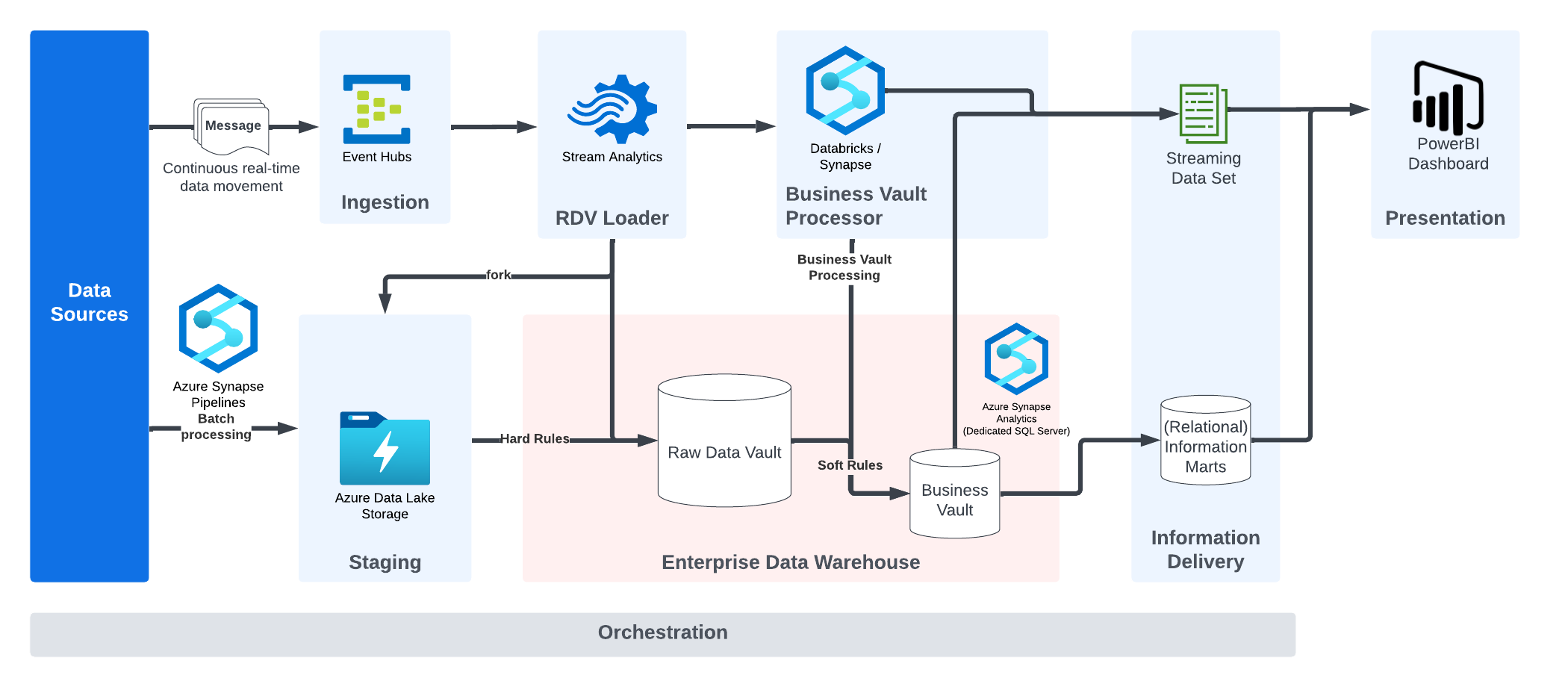
Realtime Architecture in Data Vault

Watch the Video

In our continuous Data Vault Friday series, our CEO Michael Olschimke addresses a thoughtful question from our audience.

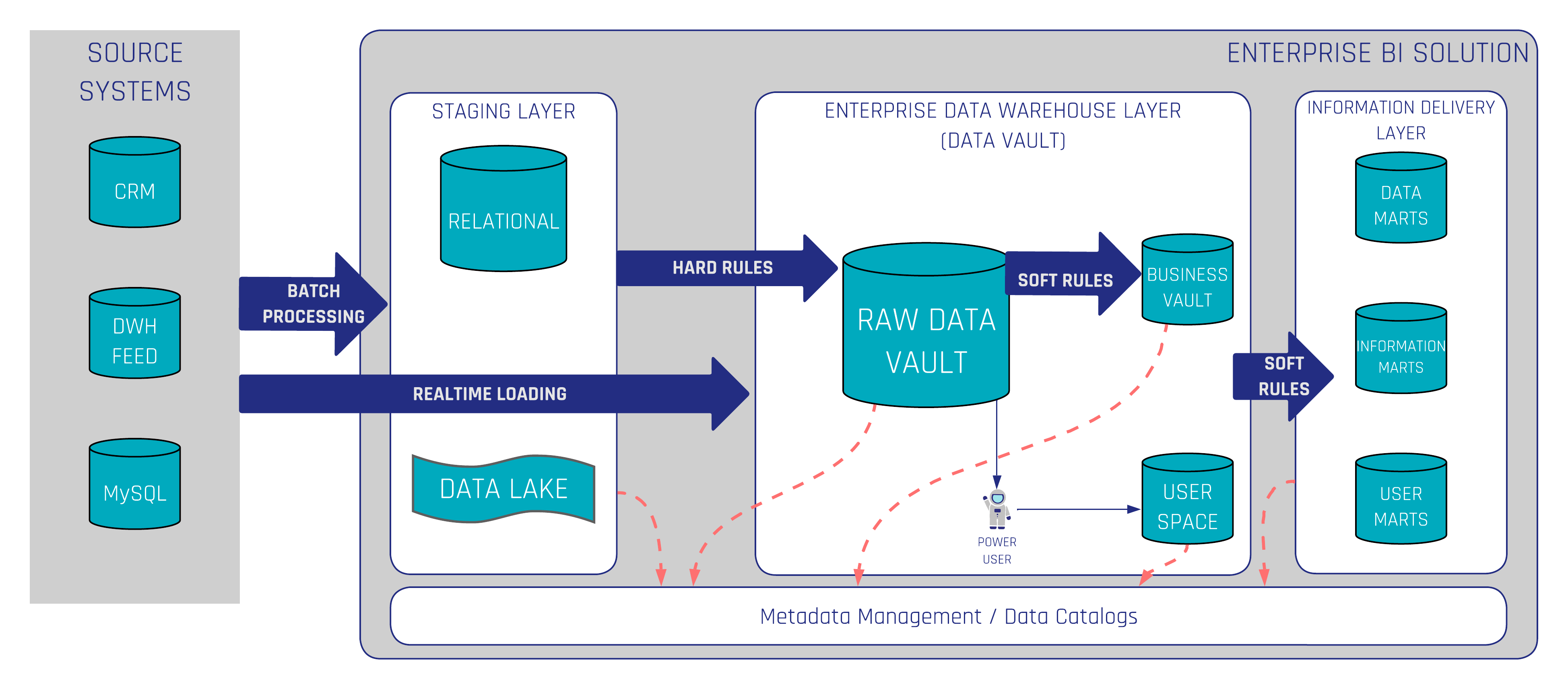
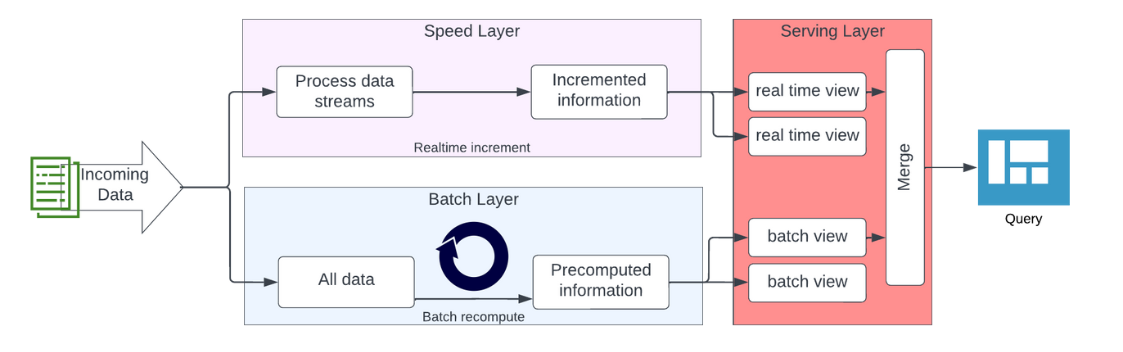
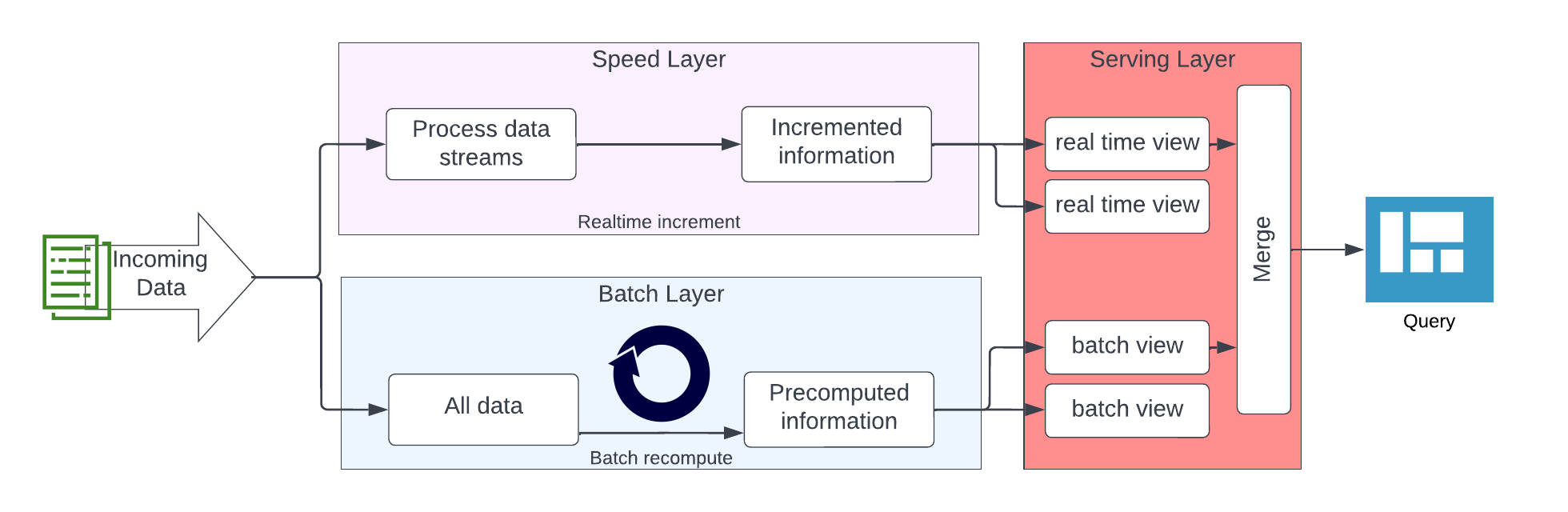
“What additional steps are there in a Real-Time loading pattern on top of the batch loading pattern?”

In this concise yet informative video, Michael focuses on the nuances of incorporating real-time loading patterns into the Data Vault 2.0 architecture. The question prompts a discussion about the specific steps that distinguish real-time loading from the traditional batch loading pattern.

Michael shares insights into the additional considerations and steps required to ensure the effectiveness of real-time data integration. The discussion provides valuable guidance for those looking to enhance their understanding of real-time loading within the context of the Data Vault 2.0 framework.

Close Menu