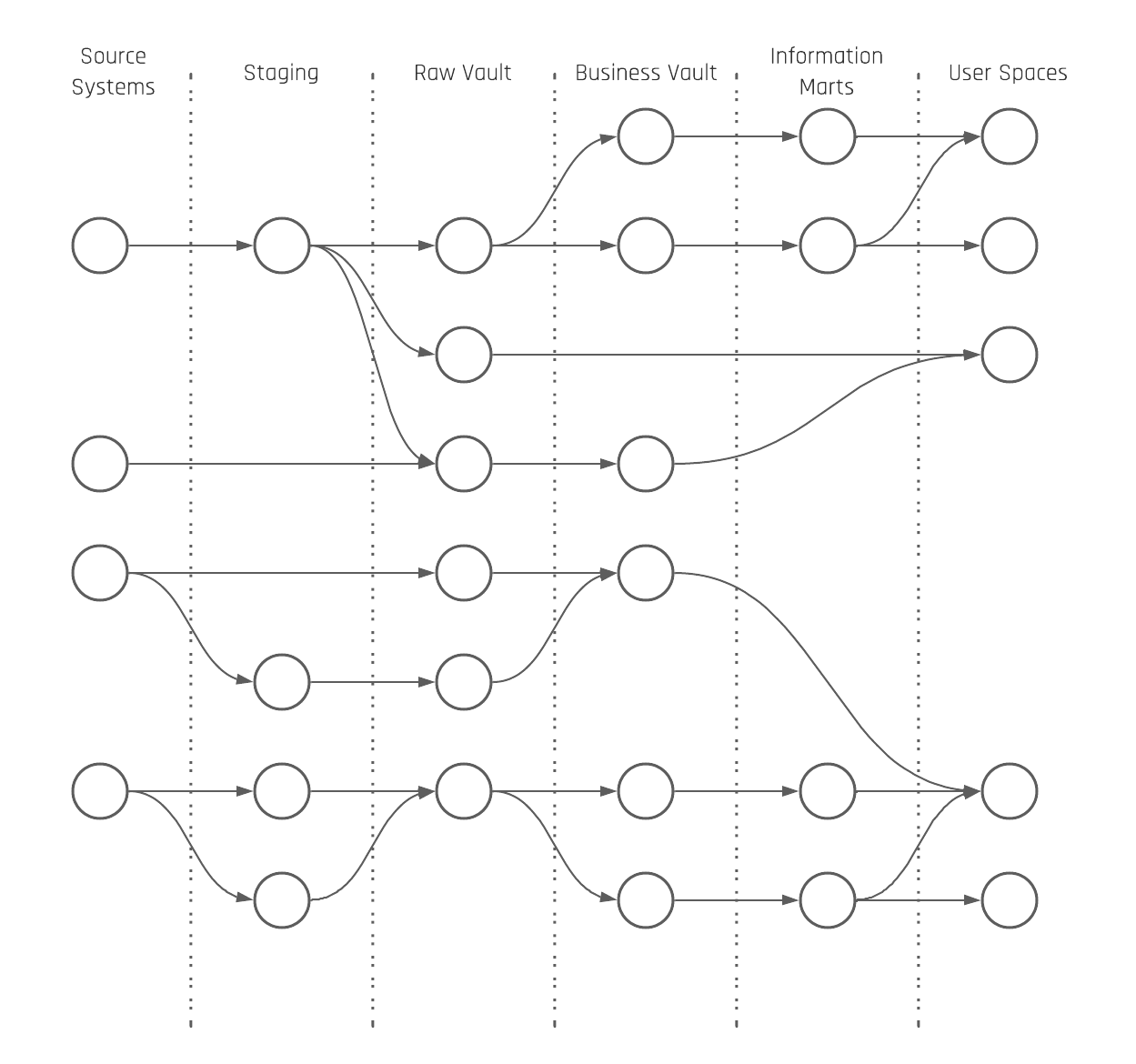
The core Data Vault is differentiated into the Raw Data Vault (RDV) and the Business Vault (BV). The reason is to split soft business rules from hard business rules as soft business rules can change the content of the data. The result is that the number of possible perspectives on the raw data is reduced when soft business rules are applied early in the loading architecture. The same rules have to be applied to timelines. Timeline-driven business perspectives on raw data happen earliest in the Business Vault.
There are basically three different perspectives related to timelines in the data warehouse: A data warehouse perspective, a business perspective, and an information delivery perspective.
The data warehouse perspective relates to the Load Date Timestamp to have a consistent incremental integration of the data into the Raw Data Vault and Business Vault.
The business perspective relates to all dates and timestamps which are delivered by the source system. Also, the technical fields are counted in the same way as the created, updated, or deleted date/timestamp from the source system. Everything that is part of the payload is handled as descriptive data during the Raw Data Vault loading.
Now, different queries can create all possible views of the raw data; for example, aggregates based on the most recent record per Business Key and grouped by a sales date.
The information delivery perspective relies on a snapshot to “freeze” all the data as it was active at a point in time. That said, the interpretation of what “active” means can be different.
To address this, multiple perspectives can be created. That’s also the reason why we talk about the single version of the facts in the Raw Data Vault and multiple versions of the truth in the Business Vault (different perspectives on raw data = different truths from different standpoints).
This could, for example, be an hourly, daily, weekly, monthly, or yearly snapshot or timespan. The Data Vault entities that are used here are the PIT and Bridge tables. The current delta of master data like customer data in a Satellite can be “frozen” based on a daily snapshot in a PIT table. Also, transactional data kept in a Non-Historized Link can be attached to an hourly snapshot in a Bridge table.
How that exactly looks will be shown in the next part of the multi-temporal newsletter series. To enhance your understanding of these data perspectives, you can also explore our Multi-Temporal Data Vault class.